Digital menu & QR ordering for restaurants

Scan the table. Browse, order, done.

Guests scan the code on their table, order from their own phone, and the ticket lands on your kitchen screen while they watch it move.

14 days free. No card. No hardware.

How it works

A digital menu that sends the order from the table to the kitchen.

  1. 01

    Scan

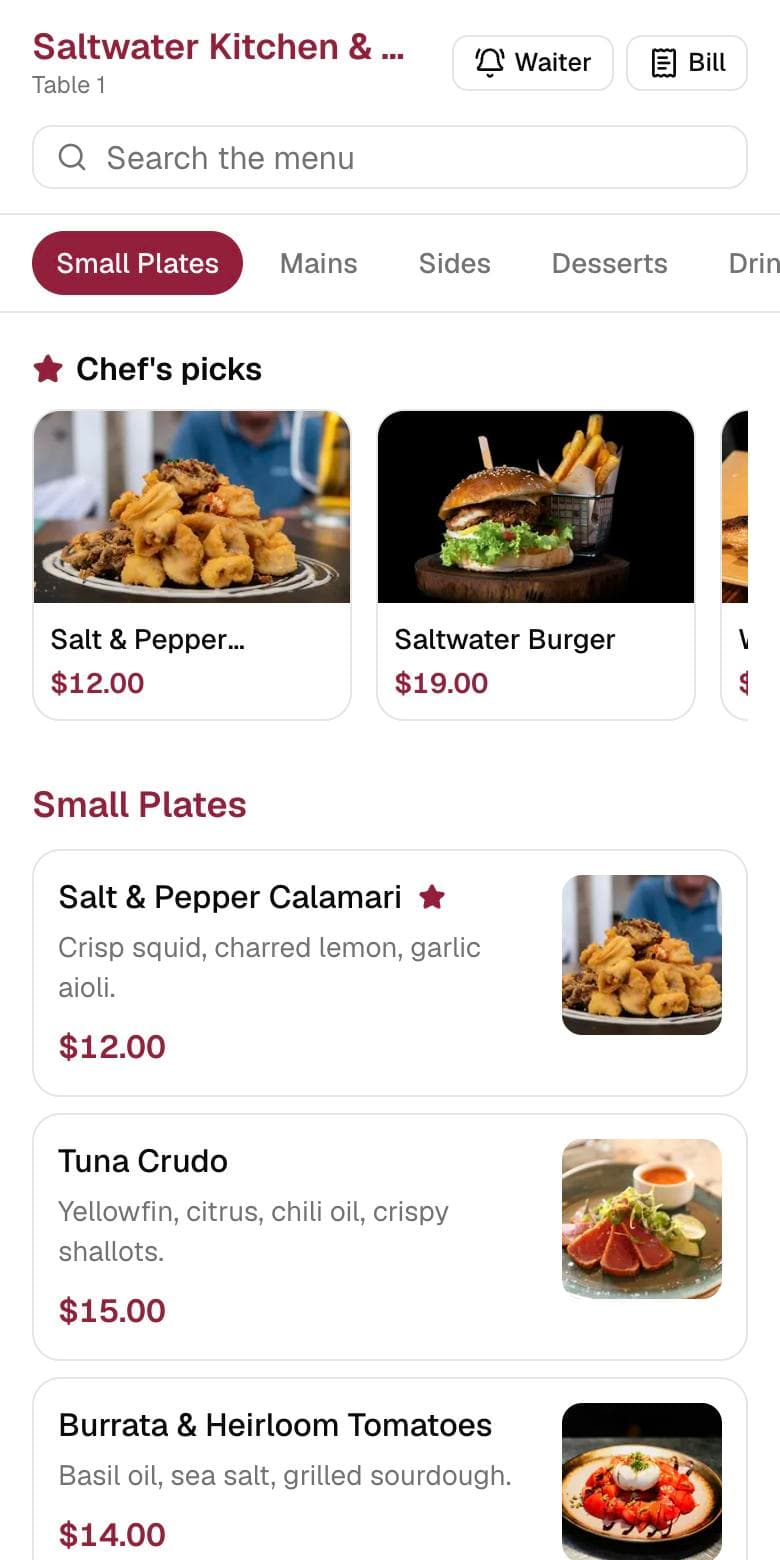
    The guest scans the code on the table tent. Your menu opens in their phone's browser. No app, no account.

  2. 02

    Order

    They pick a size, add what they want, check the cart and send it. The table number travels with the order.

  3. 03

    Straight to the kitchen

    The ticket lands on the kitchen screen with a sound. Each time you tap it along, the guest's phone updates.

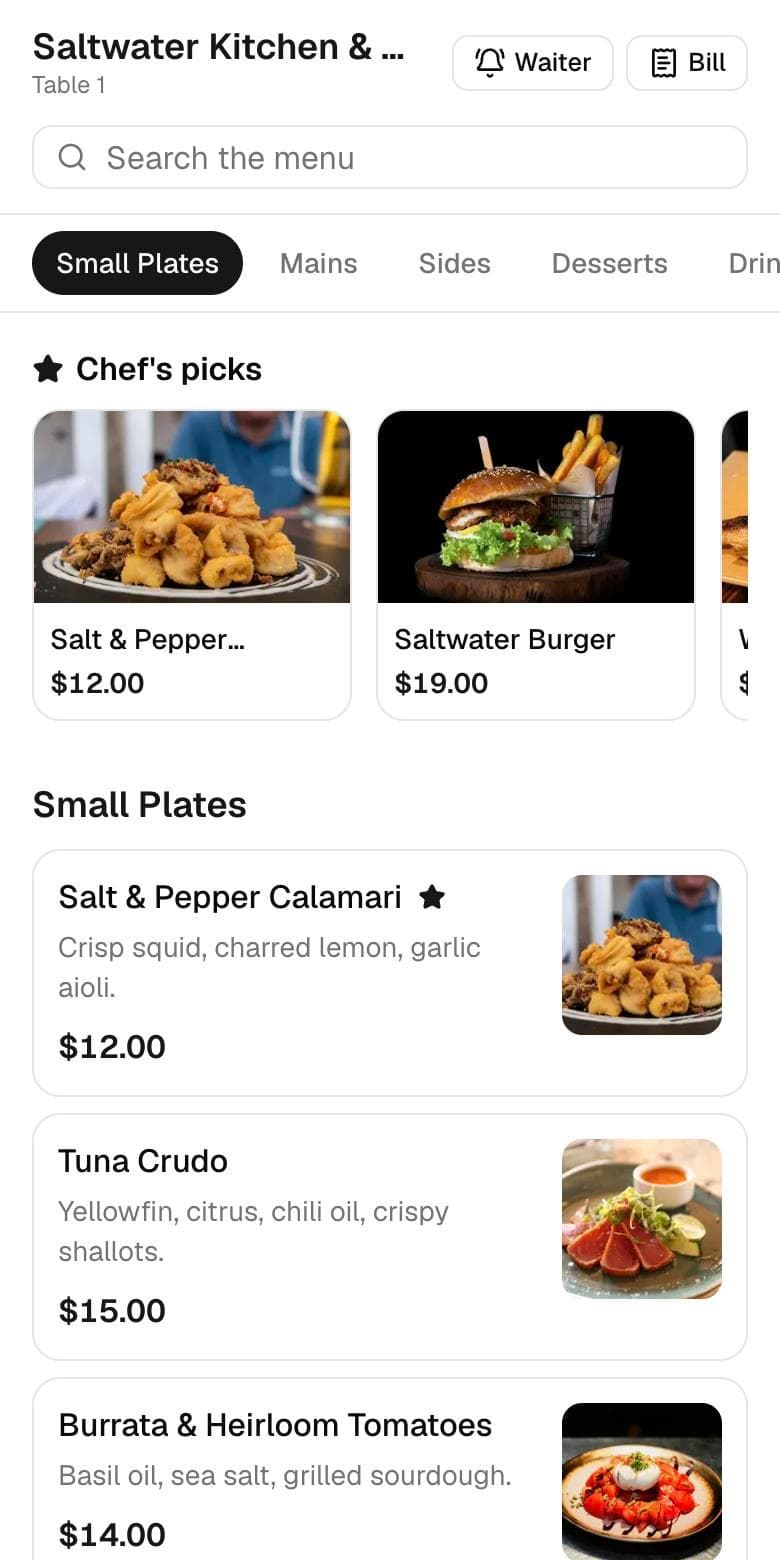
The Dyne guest menu on a phone
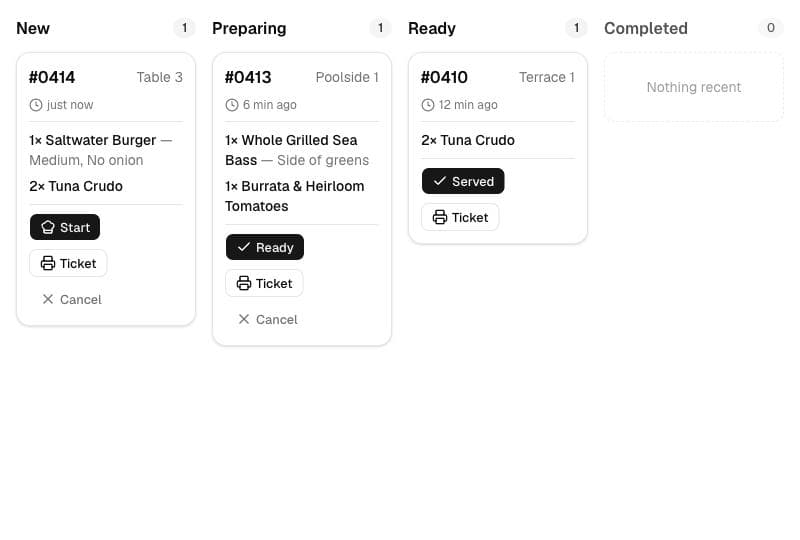
The Dyne kitchen screen showing new, preparing and ready tickets
The guest order status screen on a phone

Features

What your guests, your line and your managers each see.

Guests can see where their food is.

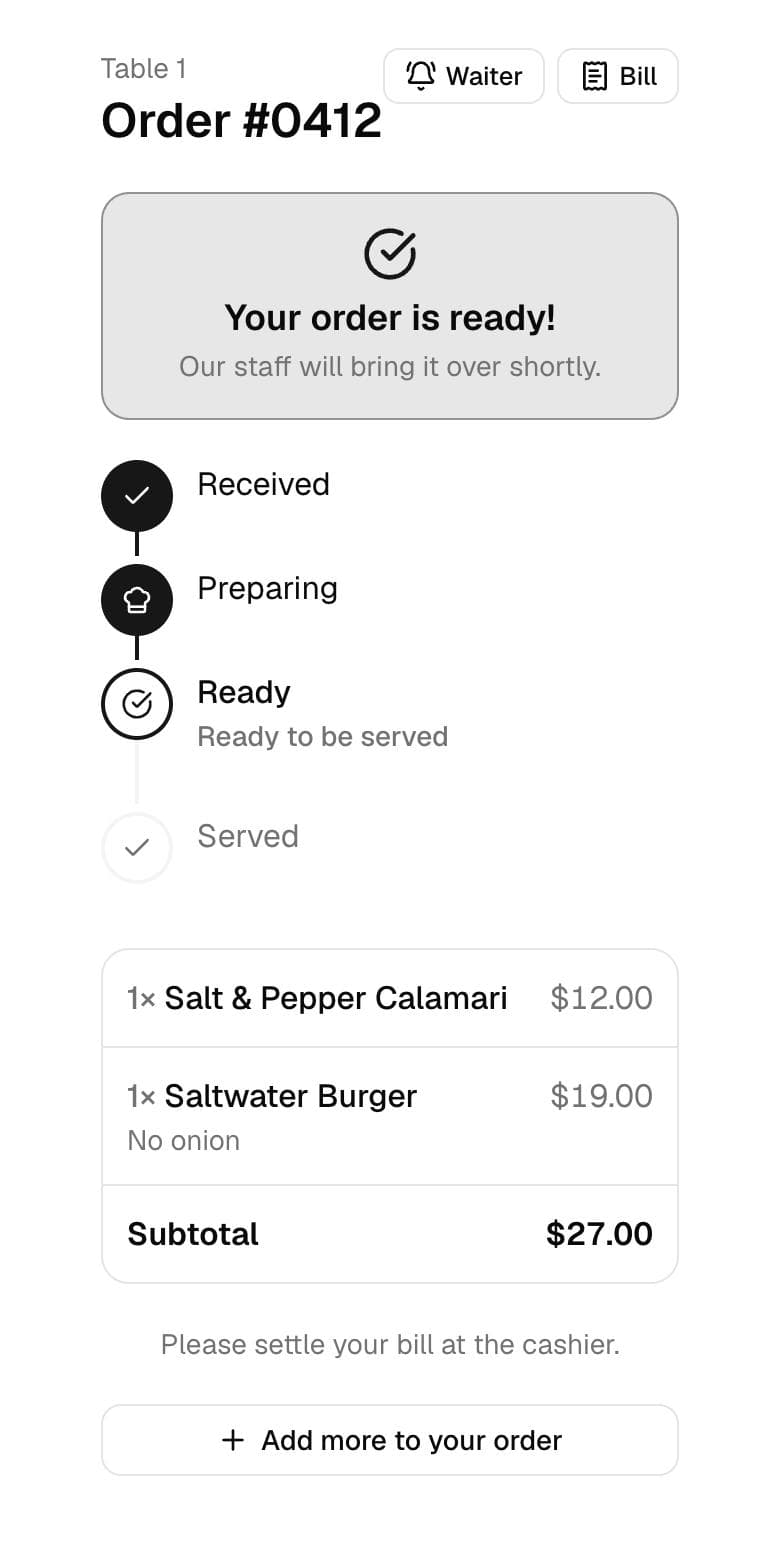
Received, Preparing, Ready, Served. The status moves when your kitchen moves the ticket, so nobody has to catch a server's eye to ask.

From a sunbed at the far end of the pool, a guest can order, follow it, tap Waiter or Bill, and never walk to the bar.
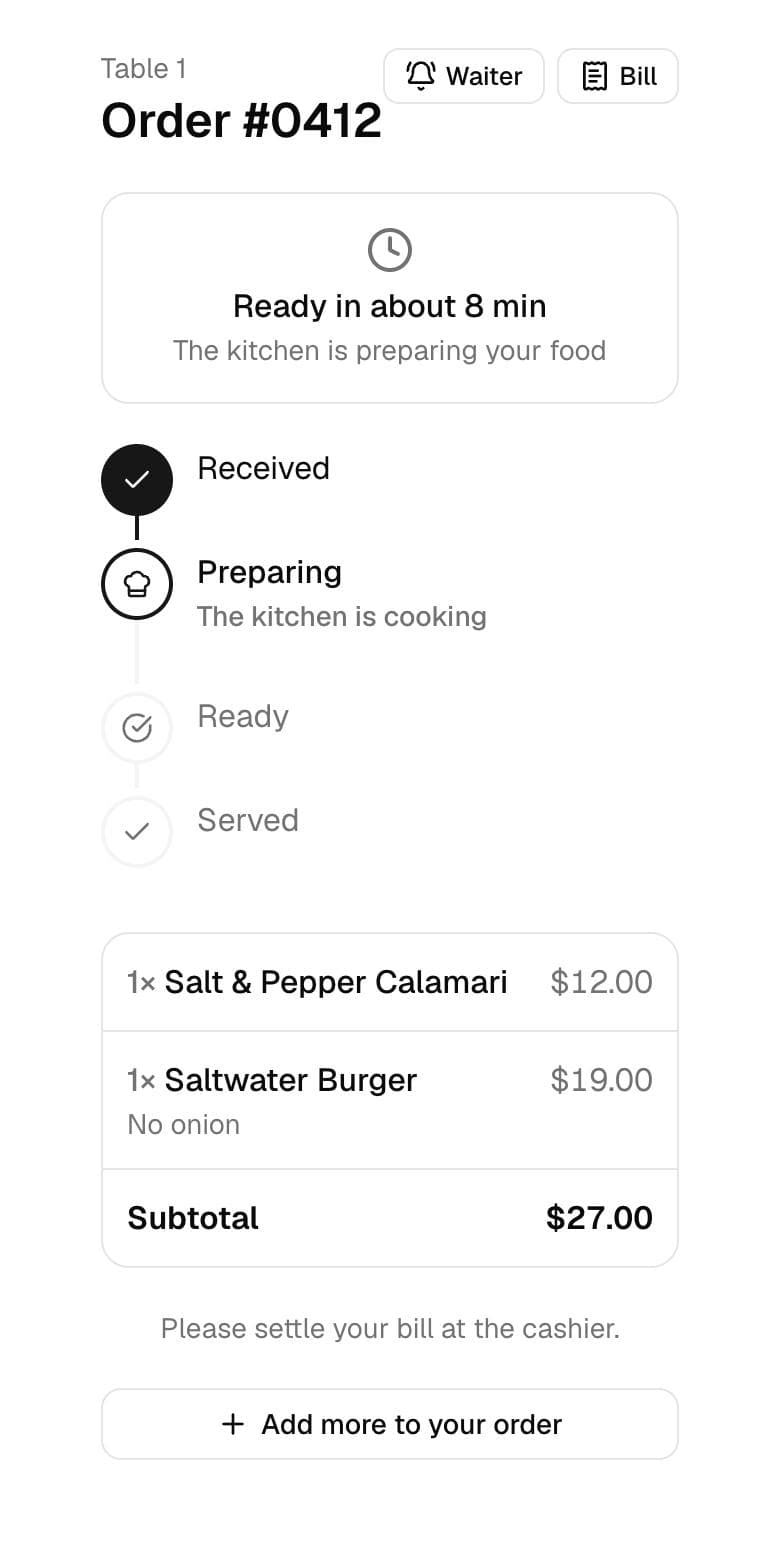
Order status while the kitchen is preparing the food
Order status once the food is ready
The kitchen screen with tickets in New, Preparing and Ready
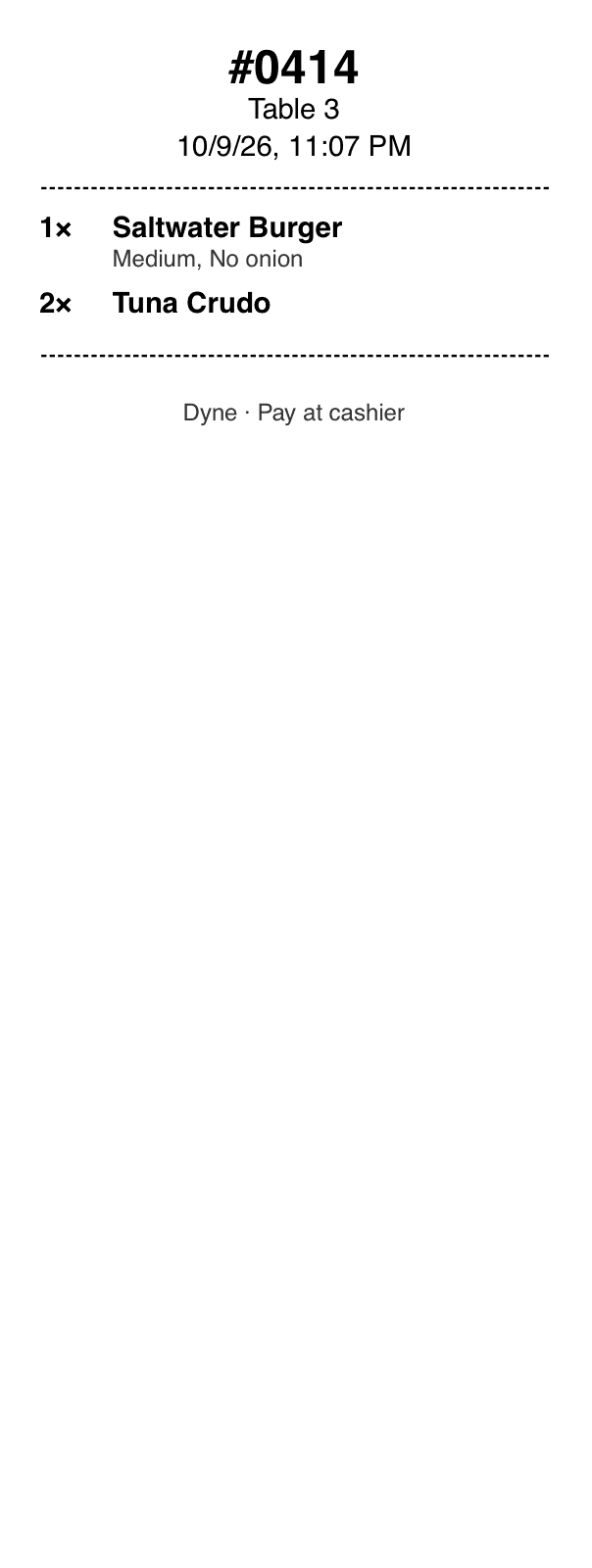
A printed prep ticket for Table 3

Every order reaches the pass exactly as the guest typed it.

Tickets land on a live kitchen screen with the table number, every modifier and a timer since it was placed. A sound plays and a push alert goes out, so a new ticket gets noticed mid-rush.

  • Sound alert on every new ticketon
  • Push notificationon
  • Printable prep ticketswhen you want paper

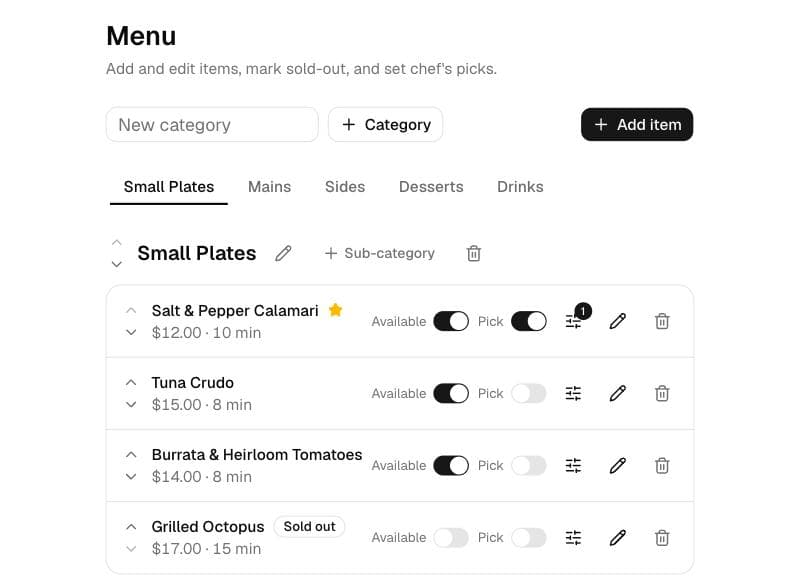
Out of squid? Mark it sold out and it's gone from every table.

Mark items sold out, set sizes and add-ons, and add photos. Changes go live on guests' phones straight away, with no reprinting.

The menu manager with availability switches for each item
The guest menu in the Wine theme

It's your menu, with your logo and your colors on it.

Guests see your venue, not ours. Pick an accent color and the whole menu follows, and each table's QR code stays a stable short link, so the tents you print today keep working after every menu change.

Pick a theme for the sample venue

Some guests want a menu they can hold. Print one in a tap.

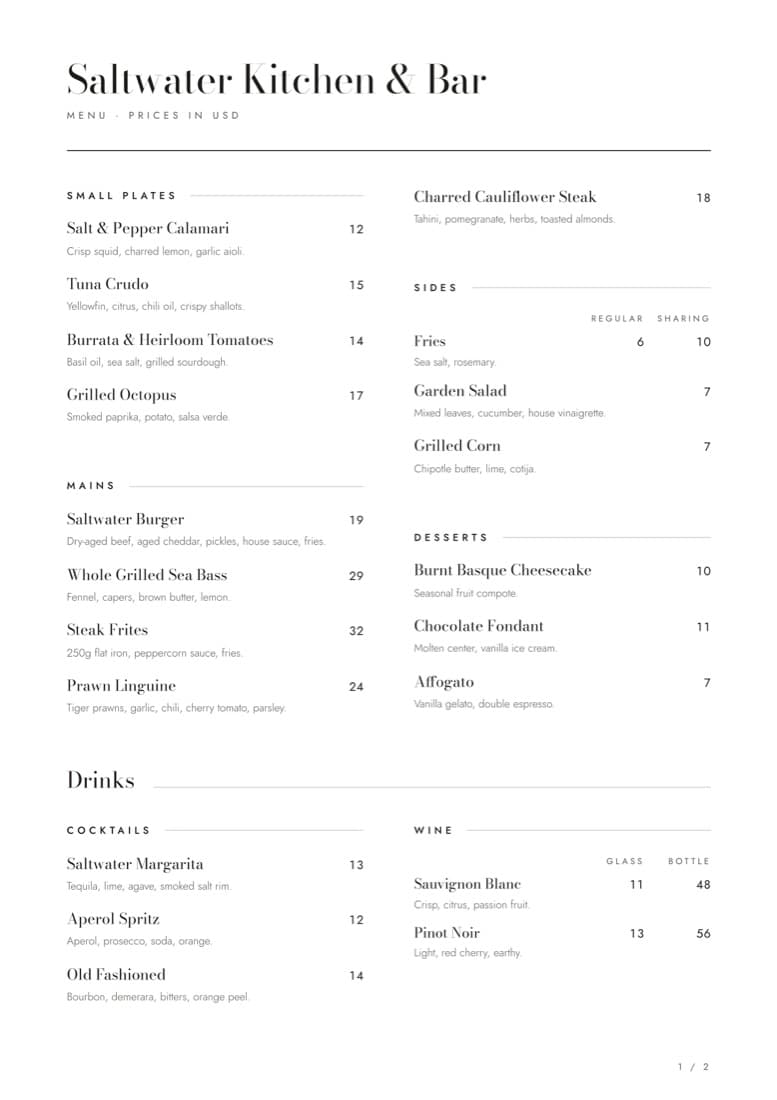
Dyne lays out your whole menu on A4, with your name, your logo and every price, ready for the printer or to save as a PDF. It comes from the same menu guests see on their phones, so reprint whenever your prices change.

For the guest with no mobile data, or the one who simply prefers paper.

  • Paper sizeA4
  • Drinks by glass and bottlein their own columns
  • Matches your online menualways
The printed A4 menu for Saltwater Kitchen & Bar, with dishes in two columns and wine priced by glass and bottle

Keeps your cashier exactly as it is

Dyne doesn't take payments. On purpose.

Keeps your POS, your cashier and your cash flow exactly as they are. Nothing to rip out.

Guests order at the table and settle up where they always have. Your end-of-night count doesn't change.

  • Hardware to buyNone
  • App for guests to downloadNone
  • Phones it works onAny, in any browser
  • Changes to your POSNone
  • ContractNone

Pricing

One plan. Everything included.

Try it free for 14 days. No contract, cancel anytime.

Monthly

$10 / month

Billed every month, after a 14-day free trial

  • Menu setup help if you want itIncluded
  • QR codes for every tableIncluded
  • Kitchen screen and staff loginsIncluded
  • Waiter and bill requestsIncluded
  • Printable A4 menuIncluded
Start free trial

Yearly

2 months free

$100 / year

Billed once a year, after a 14-day free trial

  • Menu setup help if you want itIncluded
  • QR codes for every tableIncluded
  • Kitchen screen and staff loginsIncluded
  • Waiter and bill requestsIncluded
  • Printable A4 menuIncluded
Start free trial

FAQ

The questions operators ask us first.

A menu your guests open on their own phone, usually by scanning a QR code on the table, instead of a printed card. With Dyne it's also how they order: the order goes straight to your kitchen screen, and you can change prices or mark dishes sold out at any time.

Put Dyne on your tables before the next rush.

Start your free trial14 days free. No card. No hardware.

Prefer we set it up? by email or WhatsApp, whichever suits you.